
Looking for a RocketReach alternative? Here's how SalesQL compares
Price first: what each one costs per email, at list price. Then what users complain about, the details, and where RocketReach is the better pick.
We make SalesQL. Every fact links to a public source and a date, and we say where RocketReach wins. How we compared
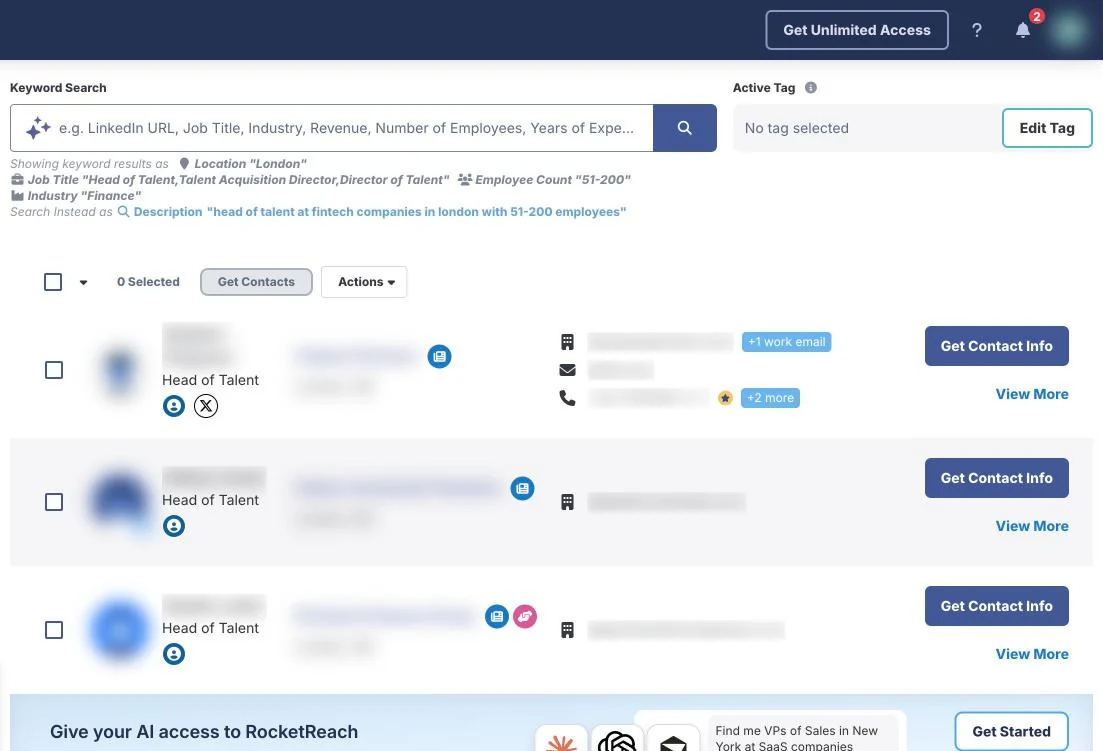
Same search, two tools
Drag to compare the two interfaces
From public reviews
What RocketReach users complain about
Themes that come up again and again in reviews on G2, Trustpilot and Chrome Web Store. Each one links to the reviews, with their dates; the examples leave out reviews that quote prices or credits.
Data goes stale after job changes
Reviewers say emails and titles lag behind when people move to a new company.
23 of the 100 most recent reviews on G2 · Apr – Nov 2026 · also on Trustpilot
- G2 review, Apr 21, 2026
- G2 review, Feb 10, 2026
- G2 review, Apr 17, 2026
- G2 review, May 11, 2026
- Trustpilot review, May 14, 2026
Phone numbers often missing
Reviewers say many contacts have no phone number, or one that doesn't connect; one names Asia and Oceania as the weakest regions.
About 14 reviews on G2 · Dec 2025 – Sep 2026
Read the reviewsSeveral possible emails for one person
Some lookups return several addresses, often personal ones, and users have to work out which one is right.
About 12 reviews on G2 and Chrome Web Store · Feb – Jun 2026
Annual plans renew without a reminder
Customers describe renewals they didn't expect and refunds that were refused.
20 of the 43 most recent reviews on Trustpilot · Nov 2025 – Oct 2026 · Rare on G2.
Read the reviews
RocketReach users also praise its ease of use, a broad database with good filters and the Chrome extension.
Side by side
SalesQL vs RocketReach: price, plans, then features
One credit per contact found, work and personal email together.
One lookup each; yearly plans counted per export.
The same credit, but few profiles come with a direct number.
Pro and Ultimate only.
Credits are used only for contacts it finds.
“A lookup is used if we find and verify email or phone, otherwise it is refunded.”
Basic · 2,000 credits a month · $29.25/month billed yearly.
Essentials · 100 lookups a month, email only · $229/year: “unlimited” lookups under a fair-use policy, 1,200 exports a year.
50 credits a month, without phone numbers or exports.
“Some free lookups”: no number on the pricing page.
On paid plans, not on Free. Few direct numbers.
On Pro and Ultimate; Essentials is email only.
On LinkedIn profiles and search results.
On LinkedIn profiles and company pages, other social sites and company websites.
Prospector, with AI search. Searching doesn't use credits.
Search people and companies with filters.
Work email and direct email in two fields, both through the same SMTP check.
Tagged work or personal; you can ask for personal emails only.
From Professional ($79/month).
On all three plans, Essentials included.
Official plugin in ChatGPT; custom connector in Claude, Cursor and others. On every plan; Free has lower daily limits and no phones.
MCP server for Claude, ChatGPT, Cursor and others. It needs API access, which comes with Essentials, Pro and Ultimate.
HubSpot, Salesforce, Pipedrive and more, on paid plans.
Salesforce, HubSpot, Outreach and more, on Pro and Ultimate.
We don't publish an accuracy rate. Every email goes through an SMTP check; A+ = highly likely to be delivered.
From their pricing page. We didn't test it.
Sources: salesql.com/pricing and rocketreach.co/pricing and each feature's public page, checked Nov 12 – 13, 2026. Quotes are each vendor's own words.
No single winner
Which one fits how you work
Pick SalesQL if…
- You want the lowest price per email: RocketReach charges about 12 times as much.
- You want CRM integrations on the cheapest paid plan: SalesQL includes them on Basic; RocketReach starts them on Pro.
- You want to use it from ChatGPT or Claude on a free account: RocketReach's MCP needs API access, which comes with its paid plans.
Pick RocketReach if…
- You need the API on the cheapest plan: RocketReach includes it on Essentials; SalesQL starts it on Professional.
- You need phone numbers: they're on Pro and Ultimate, and our direct-number coverage is thin.
- You prospect on company websites as well as on LinkedIn.
How we compared
We make SalesQL, so read this as a vendor's comparison.
Price. Prices and credits come from each vendor's public pricing page in English, in US dollars before tax, on the date shown. Price per email = plan price ÷ credits in the plan × credits for one email, over each vendor's paid plans. Some plans are sold as “unlimited” under a fair-use policy the vendor sets; we don't count that as an allowance and divide by the exports the plan allows, unless the vendor's terms state a monthly credit limit, which we use instead. The multiplier compares the average of a vendor's plans with the average of ours, monthly with monthly and yearly with yearly, and shows the lower of the two, rounded down.
Email + phone per 1,000 contacts adds the credits for one phone number, on the plans that include phones.
Features. Features come from each vendor's public product pages and docs, on the date next to each source. Text in quotes is what each vendor says about itself; we didn't measure it.
Reviews. Complaints come from public reviews, linked with their dates. The examples leave out reviews that quote prices or credits.
What we didn't test. Data coverage and accuracy, for either tool. We compare published prices, features and public reviews.
Sources.
- rocketreach.co/pricing ·
- rocketreach.co/resources/unlimitedcredits-faq ·
- knowledgebase.rocketreach.co/hc/en-us/articles/230561248 ·
- knowledgebase.rocketreach.co/hc/en-us/articles/360047771994 ·
- docs.rocketreach.co/reference/mcp ·
- chromewebstore.google.com/detail/oiecklaabeielolbliiddlbokpfnmhba ·
- rocketreach.co/person ·
- salesql.com/pricing ·
- salesql.com/linkedin-email-finder ·
- salesql.com/ai-prospecting-tool ·
- salesql.com ·
- salesql.com/mcp ·
Something out of date? Write to support@salesql.com and we'll fix it and say what changed.
Try it on your own list
The fairest test is yours: run the same LinkedIn profiles through both tools and compare what comes back.