
You can add extra seats to any SalesQL plan, from Basic and Professional up to Premium (formerly Organization). This allows you to include more team members under the same subscription.
⚠️ Please note: Extra seats can only be added during the purchase of your plan at checkout. They cannot be added later once the subscription is already active.
💰 Extra seat pricing
- Monthly: USD 5 per extra seat
- Yearly: USD 45 per extra seat (regular price USD 60, with a 25% annual discount)
📌 Example
If you select a plan and add one extra seat during checkout:
- On a monthly plan, you’ll pay USD 5 extra per month.
- On a yearly plan, you’ll pay USD 45 extra per year.
🔑 How to add extra seats
Choose your preferred SalesQL plan.
At checkout, select the number of extra seats you want to include.
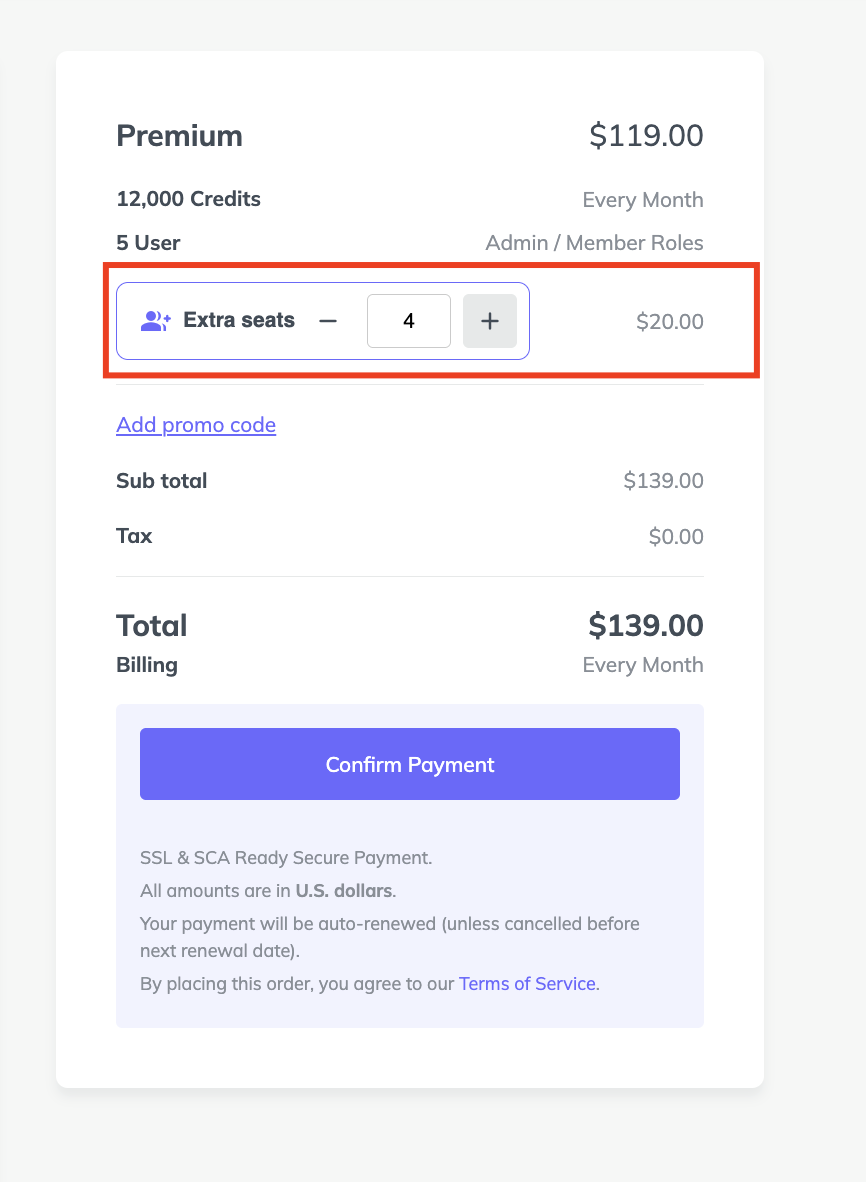
Complete the payment: the new users will be part of your subscription from the start.

This way, your whole team can benefit from SalesQL under one subscription right from the beginning.